
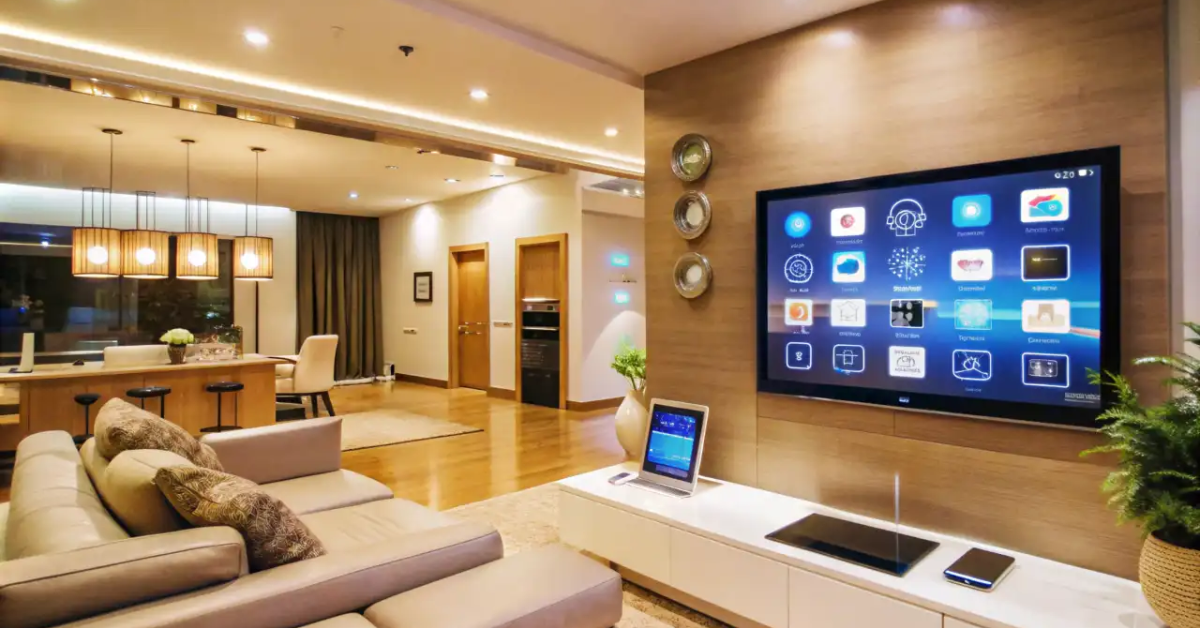
Smart Lighting for Homes is no longer a gadgety luxury — it’s a powerful way to make your home safer, more comfortable, and cheaper to run. This long-form buyer’s guide explains what smart lighting really means, the product choices you’ll face, step-by-step installation and commissioning advice, room-by-room recipes, energy and cost calculations, privacy and reliability trade-offs, and exact specs and RFQ copy you can paste into emails for suppliers or electricians.
If you want to set up Smart Lighting for Homes that looks great, works reliably, and lasts for years, read on: this guide is product-oriented and written for buyers, not installers.
Quick snapshot: what “Smart Lighting for Homes” gets you
- Centralized control (app, voice, wall panels) for schedules and scenes.
- Energy savings via dimming, occupancy sensing, and daylight harvesting.
- Personalized scenes (wake, cook, movie, party) and one-tap mood control.
- Remote access and automation for security and convenience.
- Integration with other smart devices (locks, thermostats, shades).
Throughout this article, I’ll use the phrase Smart Lighting for Homes often so you can see exactly how each decision affects comfort, cost, and reliability.
Top brands to check in person (try before you commit)
Consider visiting or researching these manufacturers and platforms for demos and compatibility notes:
- Philips — known for tunable systems and hub-based ecosystems.
- IKEA — good value smart bulbs and gateways.
- Amazon — voice assistant and ecosystem for many smart bulbs.
- Google — smart home voice and automation platform.
- Apple — HomeKit for privacy-focused Apple users.
- LIFX — wifi-driven bulbs with strong colour control.
(Each brand above is listed so you can try live demos — remember: hands-on testing beats specs alone.)
What “smart” actually means for lighting
Not every connected bulb is the same. When people search Smart Lighting for Homes, they often mean one of several capabilities:
- Remote control: Turn lights on/off from anywhere via an app.
- Scheduling & automation: Timers, sunrise/sunset routines, and event triggers.
- Scenes & groups: Combine many lights into named scenes like “dinner” or “movie.”
- Dimming & tunable white: Smooth dimming and adjustable color temperature (CCT).
- Colour control: Full RGB or tuned white for ambience.
- Sensors & intelligence: Occupancy, daylight sensing, and presence-based logic.
- Integrations: Work with voice assistants, locks, cameras, or thermostats.
Smart Lighting for Homes becomes useful when you choose the right mix of these features for your lifestyle.
Protocols, hubs, and vocabulary — the buyer’s translation guide
Understanding protocols is essential to avoid compatibility headaches.
- Wi-Fi bulbs: Connect directly to your home Wi-Fi. Pros: easy install, no hub. Cons: many bulbs flood your Wi-Fi network, and uptime depends on the router. Good for small setups and single-room control.
- Bluetooth / Bluetooth Mesh: Simple, no hub required for small groups, but limited remote access unless paired with a gateway. Good for budget-friendly, local control.
- Zigbee: Low-power mesh protocol with many manufacturers and hubs. Pros: reliable mesh, low-latency; Cons: needs a hub (gateway). Ideal for whole-home Smart Lighting for Homes systems.
- Z-Wave: Another mesh protocol, less common for purely lighting installs but strong in integrated smart home ecosystems.
- Thread: Modern, IP-based mesh favored in some ecosystems for low latency and security.
- DALI / 0–10V / KNX: Professional commercial-grade protocols used in high-end home installations and new builds with dedicated wiring. Great for advanced lighting control and diagnostics.
Hubs/gateways: If you choose Zigbee, Z-Wave, Thread, or proprietary mesh, you’ll need a hub to integrate with voice assistants and cloud services. Some smart bulbs/fixtures come bundled with a vendor hub that simplifies setup — others work with third-party hubs like those from hub manufacturers or smart home platforms.
When you plan Smart Lighting for Homes, pick a protocol and ecosystem first — it’s the foundation of compatibility.
Bulbs vs integrated fixtures vs retrofits: which path to take?
There are three common hardware approaches to Smart Lighting for Homes:
1. Smart bulbs (easy, flexible)
- Quick swap for table lamps, pendants, and some recessed fixtures.
- Pros: inexpensive upfront, easy to try.
- Cons: many bulbs are physically larger, may not fit enclosed fixtures, and some don’t work with traditional wall dimmers.
2. Integrated smart fixtures (clean, long-term)
- LED modules built into luminaires with smart drivers.
- Pros: better optics, longer life, smaller form factor, often higher lm/W.
- Cons: higher upfront cost and replacement requires fixture parts rather than a simple bulb swap.
3. Retrofit modules & smart drivers (professional)
- Replace internal LED drivers with smart drivers (DALI, 0–10V, or wireless driver modules).
- Pros: preserve existing aesthetic, good in ceilings and downlights; professional-grade control.
- Cons: needs an electrician for safe replacement and commissioning.
For full-house Smart Lighting for Homes, integrated fixtures or retrofit drivers often deliver the best long-term reliability and light quality; bulbs are great for experimenting or for lamps.
Room-by-room Smart Lighting for Homes recipes
Below are tested, practical setups you can copy for each room.
Living Room (social and media)
- Goal: flexible scenes for TV, conversation, and cleaning.
- Hardware: a mix of dimmable ambient downlights (integrated or retrofit), a tunable-white ceiling fixture, and colour-capable accent bulbs/strips for shelves.
- Controls: scene buttons on the wall, app control, and voice for quick scene recall.
- Scene examples: “Movie” (dim warm, accent off), “Evening” (warm, medium), “Cleaning” (cool, bright).
Kitchen (task & mood)
- Goal: bright, glare-free task lighting at counters + warm ambience for dining.
- Hardware: neutral 3500–4000K downlights or panels for tasks, under-cabinet linear strips (CRI 90+), pendant over island with tunable white.
- Automation: motion sensor for under-cabinet kick-on, pre-programmed dim-to-warm “dinner” scene.
Bedroom (rest & wake)
- Goal: support sleep cycles while enabling reading and low-light navigation.
- Hardware: warm dimmable overhead, bedside tunable lamps, motion sensor in hallway.
- Automation: wake scene that ramps CCT from 2700K to 4000K over 20 minutes; bedtime scene that dims and warms.
Home Office
- Goal: steady, comfortable light for long working hours.
- Hardware: 4000K high-CRI ambient + adjustable desk lamp with flicker-free driver.
- Automation: presence sensing to avoid leaving lights on; integration with calendar for “focus” mode.
Outdoor & porch
- Goal: safety, convenience, and welcoming ambience.
- Hardware: IP65-rated smart flood with motion sensor and warm garden accent strips on timers.
- Automation: geofencing to turn on approach lights when you’re arriving home.
These room-by-room recipes show how Smart Lighting for Homes elevates everyday life when designed around activity.
Energy & cost: real numbers you can trust
Smart Lighting for Homes saves energy in two ways: more efficient LEDs, and smarter use (dimming, occupancy control). Here’s a realistic example.
Example: living room LED retrofit with smart dimming
- Replace five 10W halogen-equivalent fixtures (each delivering ~700 lm) with five 8W LED smart downlights (same lumens).
- Usage: average 4 hours/day. Electricity cost: ₹10/kWh.
Step-by-step calculation:
- Old annual energy per fixture = 10 W × 4 h/day × 365 = 10 × 4 × 365 = 14,600 Wh = 14.6 kWh.
- New annual energy per fixture = 8 W × 4 × 365 = 11.68 kWh.
- Annual energy saved per fixture = 14.6 − 11.68 = 2.92 kWh.
- For 5 fixtures: 2.92 × 5 = 14.6 kWh saved annually.
- Annual money saved = 14.6 kWh × ₹10/kWh = ₹146.
That’s modest because the wattage difference was small — but add smart dimming and occupancy: assume smart features reduce average runtime by 25% (automatic dimming when not fully needed), savings increase to ~₹365/year. Multiply across whole-house installs and the savings become meaningful. The real power of Smart Lighting for Homes often comes from automation, not just the LED swap.
Privacy, reliability & offline operation — what buyers often miss
Smart Lighting for Homes ties into the network and sometimes the cloud — be intentional:
- Local control vs cloud: prefer systems with local control (scenes and schedules that run even if the internet is down). Many hubs offer local-only automation, which improves reliability and privacy.
- Account sharing & access: restrict who can control your lights. Use guest modes for renters or service staff.
- Firmware updates: keep devices up-to-date, but schedule updates (some updates may change behavior).
- Interference & congestion: Wi-Fi bulbs can congest a home network; for whole-house installs, consider Zigbee/Thread with a robust hub to isolate lighting from general Wi-Fi.
When you plan Smart Lighting for Homes, ask vendors whether basic automation runs without a cloud connection and how access control is managed.
Installation, commissioning & best practices
- Plan zones and circuits before buying bulbs. Group lights by function and wiring circuit.
- Mock up scenes with a single room before a house-wide rollout. Test dimming, colour transitions, and response times.
- Use a single ecosystem for primary lighting (mixing too many vendor clouds complicates automation).
- Label everything — hubs, bridges, and switches — and keep a physical diagram.
- Document firmware versions and keep an update log for the system.
Pro tip: have an electrician wire neutral/future-proof conduits even if you use battery wireless switches — it future-proofs Smart Lighting for Homes.
Buying checklist & RFQ lines (copy/paste ready)
Checklist items to demand:
- Protocol (Zigbee/Thread/Wi-Fi) and hub model.
- Dimmability spec and compatible dimmers.
- CRI, CCT range, lumen output, and efficacy (lm/W).
- Local automation capability (scenes/schedules without cloud).
- Warranty and spare-part policy.
- Power/driver replaceability for integrated fixtures.
Common pitfalls and how to avoid them
- Mixing too many ecosystems — stick to one primary protocol.
- Buying cheap bulbs without testing — test a sample for dimming and flicker before bulk purchase.
- Ignoring local control — ensure schedules work offline.
- Forgetting wall-switch usability — use smart switches or add physical scene buttons; guests expect simple wall controls.
- Over-relying on Wi-Fi — use mesh protocols for large installs to reduce latency and improve reliability.
Plan for real users (family, guests, cleaners), not just tech demos.
Final thoughts & next steps
Smart Lighting for Homes is a practical, impactful upgrade that pays back in comfort, safety, and energy savings — especially when planned as a system rather than a collection of random bulbs. Start small (one room), test your chosen ecosystem, then expand using the checklists and RFQ lines above.