
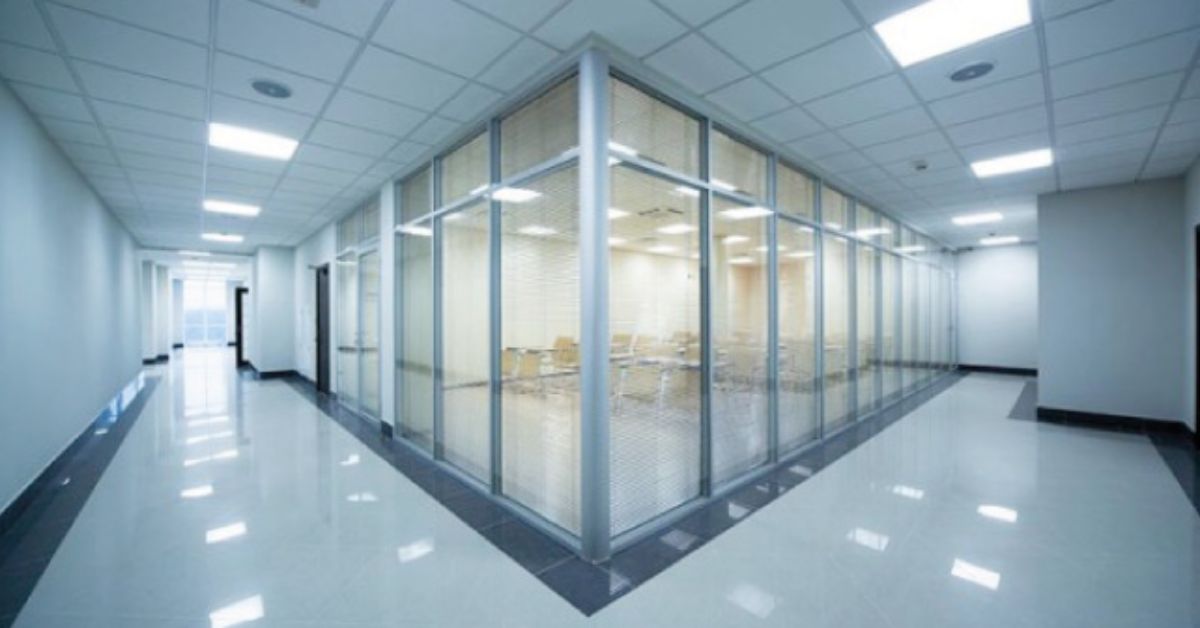
Why invest in commercial lighting?
Good Commercial Lighting Solutions for Shops & Offices do four things:
- Present merchandise and materials accurately (so customers buy with confidence).
- Create comfortable, glare-free work environments that reduce fatigue and errors.
- Save energy and reduce maintenance through efficient LEDs and intelligent controls.
- Enhance brand and customer experience with layered, intentional lighting.
In short, lighting is both a technical system and a design tool. Treat it as both.
The measurable fundamentals every buyer must know
When evaluating Commercial Lighting Solutions for Shops & Offices, insist on these numerical specs from suppliers — they’re what determine real performance.
- Lux (illuminance): the light level on a surface. Typical target ranges for commercial spaces come from industry guidance (e.g., IES/CIBSE). For example, offices and most retail areas are commonly designed for 300–500 lux, while focused product displays often target 500–1000 lux or higher for premium merchandise.
- Lumens & efficacy (lm/W): how much light per watt. For commercial fixtures, aim for ≥90–120 lm/W depending on fixture type and budget. Higher efficacy reduces energy use and operating costs.
- CCT (Correlated Color Temperature): measured in Kelvin. For shops and offices, 3000–4000K is typical — 3000K for warmer retail ambience, 3500–4000K for neutral, accurate color in offices and showrooms.
- CRI / color fidelity: choose CRI ≥ 80 as an absolute minimum; CRI 90+ for apparel, furniture, paint, or any product where color matters.
- UGR & glare control: for visible ceiling fixtures in offices, target low-glare optics (UGR <19) to protect screen users and reduce eye strain.
- L70 / rated lifetime and warranty: ask for L70 hours (e.g., 50,000 hrs) and 3–5 year minimum warranties on drivers and luminaire components.
These are the numbers that separate marketing blur from real Commercial Lighting Solutions for Shops & Offices.
Typical lux targets (copyable)
Use these as a planning shorthand when briefing designers or vendors (based on IES/CIBSE guidance). Exact values depend on tasks and finishing materials.
- Reception, circulation: 100–200 lux
- General retail/shop floor: 300–500 lux
- Feature displays/jewelry/textiles accent: 500–1000 lux (or higher for sparkle)
- Office open-plan desks: 300–500 lux at desk level
- Conference rooms: 300–500 lux (with dimmable AV zones)
- Stock/warehouse: 100–200 lux (depending on picking/detailing tasks)
Include these numbers verbatim in RFQs so suppliers give comparable photometric layouts.
Fixture types that form great commercial solutions
A practical commercial lighting scheme mixes fixture families. Don’t expect one product to do everything.
1. Track & spotlight systems
- Best for flexible merchandising where displays change often.
- Choose high-CRI COB spots with interchangeable lenses (7°–60°) and replaceable modules. Great for highlighting clothes, art, or feature walls.
2. Linear suspended LEDs
- Create direction and even light across bench desks or aisles. Use asymmetric optics to reduce glare on screens and glossy merchandise. Look for lumen-per-metre ratings and UGR-rated diffusers.
3. Recessed downlights / adjustable downlights
- For clean ceilings and zoned accenting, specify low UGR trims and CRI 90+ options for showroom areas.
4. LED panels/troffers
- Useful in grid ceilings for uniform ambient light in offices; pick high-efficacy, flicker-controlled models with good diffuse optics.
5. Shelf, cabinet & display case lighting
- Micro-linear strips or miniature spots mounted to avoid reflections on glass—use diffused optics and CRI 90+ to render merchandise accurately.
6. Cove & wall-washer luminaires
- Soften walls, reduce contrast and create premium ambience—ideal for galleries, showrooms and lobby areas.
7. Emergency & exit lighting
- Local code often demands self-contained emergency luminaires with battery backup—spec them separately.
Combining these families gives you layered, flexible Commercial Lighting Solutions for Shops & Offices that can evolve with merchandising and space usage.
Controls: why they’re essential and what to choose
Controls are the single most powerful tool to lower running costs and tune experience. Modern commercial schemes use a mix of:
- DALI / DALI-2: a two-way digital protocol that enables precise addressing, diagnostics, and grouping. DALI is widely adopted in commercial buildings for efficient, scalable control.
- 0–10V: simple analog dimming for basic zoning. Good for retrofits where DALI may be overkill.
- Wireless mesh (Bluetooth Mesh / Zigbee / Thread): excellent for retrofit or where running extra control cabling is expensive.
- Scene & daylight harvesting: daylight sensors dim perimeter lights automatically; scene presets set “opening”, “closing”, “sale”, or “presentation” moods.
- Occupancy sensors: essential for back-of-house, storage, restrooms, and meeting rooms to avoid wasted hours.
Recommendation: for new commercial installs, plan a DALI backbone if budget permits — it future-proofs the lighting, gives you energy reporting, and simplifies commissioning.
Layout & lighting design basics for shops & offices
Good design is where the numbers meet human behavior. A few practical rules:
- Layer lighting: ambient (general) + task (work surfaces/tills) + accent (product focus). Layering prevents flat, unattractive spaces and helps direct customers’ gaze.
- Plan for contrast: have feature displays 2–4× brighter than the surrounding ambient so they “pop” — but avoid harsh hot spots on the floor or too much contrast that causes eye fatigue.
- Mind the sight-lines: accent beams should avoid shining into customers’ eyes; adjust aim and beam width to create pockets of interest.
- Consider reflectance: dark floors and ceilings require higher lumen packages; specify photometric calculations instead of rules-of-thumb.
- Mock up key zones: install a test bay with the actual fixtures and merchandise—this is the single best way to validate a scheme before full rollout.
Designers use IES/EN/CIBSE guidance for calculation; buyers should require IES files and lux maps with every quote.
Energy, compliance & India-specific notes
If you’re buying commercial lighting in India, check local energy standards and incentive programs (BEE, ECBC guidance) and factor them into ROI calculations. The Bureau of Energy Efficiency provides guidance on measuring installed load efficacy and energy performance for lighting systems. Including energy metrics in your RFQ helps vendors propose compliant solutions.
When calculating savings: use operating hours (e.g., 10–12 hrs/day for shops, 8–10 hrs/day for offices), fixture efficacy, and expected duty days per year to estimate simple payback.
Product checklist: demand these from suppliers
When shopping for Commercial Lighting Solutions for Shops & Offices, ask vendors to provide:
- Photometric IES files and a lux map for your floor plan.
- Lumen output, efficacy (lm/W), CCT, and CRI.
- Driver details: dimming protocol, flicker spec (<5% desirable), and thermal rating.
- UGR value for visible ceiling fixtures.
- L70 rating and warranty (drivers and luminaires).
- IP rating for any open-to-outside fittings (IP65 for exposed areas).
- Maintenance plan and local spares availability.
Insist on these in writing — they keep quotes comparable and reduce surprises after installation.
RFQ language you can copy & paste
Use these spec lines when requesting bids for Commercial Lighting Solutions for Shops & Offices:
- “Supply & install linear suspended LED luminaire, 1200 mm, 3000 lm/m, 3500K, CRI ≥ 90, UGR <19, DALI driver, L70 ≥ 50,000 hrs. Provide IES file for layout and photometric report showing 300–400 lux at desk/aisle level.”
- “Supply COB track spotlight, 15W, 7°/24°/36° lenses, CRI ≥ 95 for textile/jewelry display, 3000K nominal, >100 lm/W, dimmable, replaceable LED module.”
- “Provide lighting controls: DALI-2 backbone, daylight harvesting sensors at perimeter, occupancy sensors for storeroom, and scene control for opening/closing. Include BMS integration points and commissioning report.”
Paste these into emails to vendors — they force apples-to-apples quotes.
Installation tips & procurement pitfalls
- Mock-ups matter: insist on a live mock-up of a key shopping aisle or a desk cluster before bulk procurement.
- Driver access: Make sure drivers are serviceable without removing ceilings. Hidden drivers that require ceiling demolition are a long-term liability.
- Batch consistency: order fixtures for the same zone from the same production batch when color consistency matters.
- Dimming commissioning: dimmers and drivers must be tuned during commissioning — don’t accept handoff without documented dim curves and scene validation.
- Local spares: ensure the vendor holds spare drivers/bulbs locally for warranty periods.
These steps avoid most of the “installed but unusable” mistakes buyers sometimes make.
Maintenance plan (simple, effective)
A short, repeatable maintenance plan keeps Commercial Lighting Solutions for Shops & Offices performing:
- Monthly: quick walk-through; replace failed lamps; clean high-touch lenses.
- Quarterly: clean diffusers, check sensor alignment and operation, test emergency lighting.
- Annually: photometric audit (lux map), driver health check, spare parts inventory update.
Keep a labeled spare box (drivers, common lamp types, connectors) to reduce downtime.
Quick case example: small boutique (practical)
- Goal: highlight merchandise and create an intimate ambience.
- Scheme: 300–400 lux ambient with track spotlights on feature walls (CRI 95 for textiles), warm 3000K ambient, accent at 800 lux for window displays. DALI control for dimming and scene presets for “opening/closing/sale.” Require IES lux map and on-site mock-up.
This practical template can be adapted for any small retail space.
Frequently asked questions
Q: Should I pick DALI or wireless controls?
A: For new builds with a planned budget, DALI gives predictable performance, scalability, and diagnostics. Wireless is excellent for retrofits or where cabling is costly.
Q: What CRI is enough for typical office spaces?
A: CRI 80 is acceptable for general office lighting, but CRI 90+ is recommended near color-sensitive areas (design studios, client meeting areas).
Q: How bright should aisles be compared to product displays?
A: Aim for product displays to be ~2–4× the ambient level so they draw attention without causing glare.
Final checklist before you sign any order
- Do you have IES files and a Lux map for the proposed scheme? (Yes/No)
- Are CRI, CCT, lm/W, L70, and driver specs written into the quote? (Yes/No)
- Are control protocols and BMS integration points specified? (Yes/No)
- Will the vendor provide a mock-up and documented commissioning report? (Yes/No)
- Are spares and local after-sales support confirmed? (Yes/No)
If any “No,” ask the vendor to amend the quote — these are deal-breakers for predictable performance.
Closing: get the lighting right, and everything else performs better
Commercial Lighting Solutions for Shops & Offices are an investment with measurable returns. Specify the numbers, demand photometric evidence, mock up critical zones, and choose control strategies that fit your budget and future needs. With the product-focused checklists above, you’ll be able to brief suppliers, compare quotes, and avoid the common procurement mistakes that turn promising schemes into costly reworks.